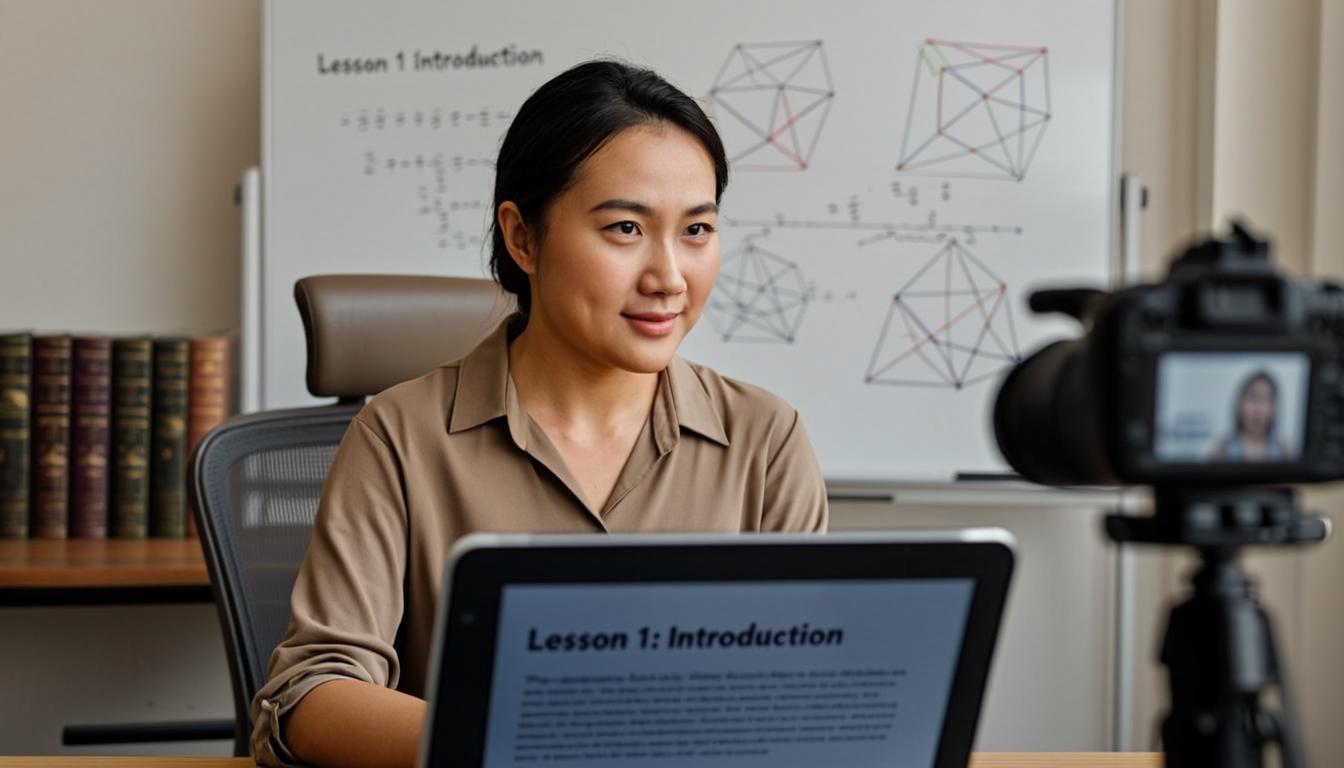
How to Use a Teleprompter for Online Courses & Teaching
Teachers and course creators can deliver polished, engaging lectures without memorizing hours of content. Learn how to use a teleprompter to transform your online teaching.
Creating online courses is one of the most time-intensive things an educator can do. Researching content, building slides, recording videos, editing footage, and managing student engagement across dozens of lessons. It's exhausting. And one of the biggest bottlenecks in the entire process is the actual recording. Trying to deliver a forty-five-minute lecture from memory is unrealistic for most people, and relying on notes leads to choppy, distracted delivery that loses students. A teleprompter solves this problem elegantly by letting you read a polished script while maintaining the natural eye contact that keeps students engaged.
Recording Lecture Videos
The most obvious use case for a teleprompter in online education is recording lecture videos. Whether you're creating a full course on Udemy, building modules for your own platform, or recording supplementary material for a university class, a teleprompter lets you deliver consistent, high-quality content without the pain of memorization.
The key difference between recording a lecture and recording a YouTube video is length. A typical YouTube video runs five to fifteen minutes. A lecture video might run thirty to sixty minutes or more. This changes how you approach both scriptwriting and teleprompter setup.
For long-form lecture recording, break your script into clear sections with natural break points every five to eight minutes. These break points serve multiple purposes. They give you a chance to pause, take a breath, and grab a drink of water between sections. They create natural edit points if you need to stitch together multiple takes later. And they help students digest the material when they watch the finished video.
Write your lecture scripts in a teaching voice, not an academic voice. Imagine you're explaining the concept to a smart friend who doesn't have any background in the subject. Use concrete examples whenever possible. Instead of saying "The algorithm has O(n squared) complexity," say "If you double the number of items, it takes four times as long to finish." Both are accurate, but the second one actually teaches.
Live Class Sessions
Using a teleprompter during live class sessions requires a different approach than pre-recorded content. In a live session, students might ask questions, you might need to deviate from your planned material, and the conversation can go in unexpected directions. A rigid word-for-word script doesn't work here.
Instead, use your teleprompter to display an outline or talking points rather than a full script. Each bullet should be a phrase or a short sentence that reminds you of what you want to cover, not a paragraph you need to read verbatim. This gives you the structure and confidence of having notes while leaving room to adapt to the flow of the class.
Some teleprompter apps support a "section jump" feature that lets you quickly skip ahead to a different part of your outline. This is useful when a student question takes the conversation in a direction you weren't planning for. You can jump ahead to the relevant section of your notes without scrolling through unrelated content.
Course Updates and Announcements
One underrated use for a teleprompter in online teaching is recording course updates and announcements. When you need to inform students about schedule changes, new resources, or upcoming assessments, a short two or three-minute video is far more effective than a text email. A teleprompter makes these quick recordings effortless because you can write a brief script and deliver it in a single take.
Maintaining Engagement While Reading
The biggest challenge of using a teleprompter for teaching is maintaining the energy and engagement that makes a great teacher memorable. When you're reading a script, it's easy to slip into a flat, monotone delivery that puts students to sleep. Fight this actively.
Vary your pacing. Speed up for exciting points and slow down for important concepts. Pause deliberately before key ideas to create emphasis. Raise and lower your voice. Use hand gestures, even if they feel exaggerated at first. Animated, energetic delivery keeps students engaged even when they can't see you in person.
Another engagement technique is to ask questions as if students are in the room with you. "Now, why does this matter? Here's the reason." Or "Before I explain the next concept, think about what we just covered." These rhetorical questions create a conversational rhythm that breaks up the feeling of being lectured at.
Handling Q&A Transitions
If you're recording a lecture video that includes a Q&A section, your teleprompter can help with the transitions. Prepare a section of your script that addresses the most common questions you receive on the topic. When it's time for Q&A, you can glance at the prompter for the prepared answers while still making it feel spontaneous.
For live sessions, keep your teleprompter running with a "backup content" section that you can reference if the class runs short of questions. It's always better to have too much material than dead air.
Keeping Lessons Personal
Students enroll in online courses because they want a personal learning experience, and a teleprompter can threaten that if you're not careful. The key is to make your script sound like you, not like a textbook. Write the way you talk. Use your natural vocabulary. Include personal anecdotes and stories from your teaching experience.
Before each recording session, spend five minutes reading your script aloud to warm up your voice and get comfortable with the material. If a sentence sounds awkward when spoken, rewrite it immediately. Your students can tell the difference between content that was written to be read and content that was written to be heard.
With practice, a teleprompter becomes an invisible tool in your teaching toolkit. Your students see a confident, engaging instructor who seems to speak effortlessly off the cuff. Only you know there's a carefully crafted script scrolling just below the camera lens.